MidiPad
Free · iPad app + Mac companion app
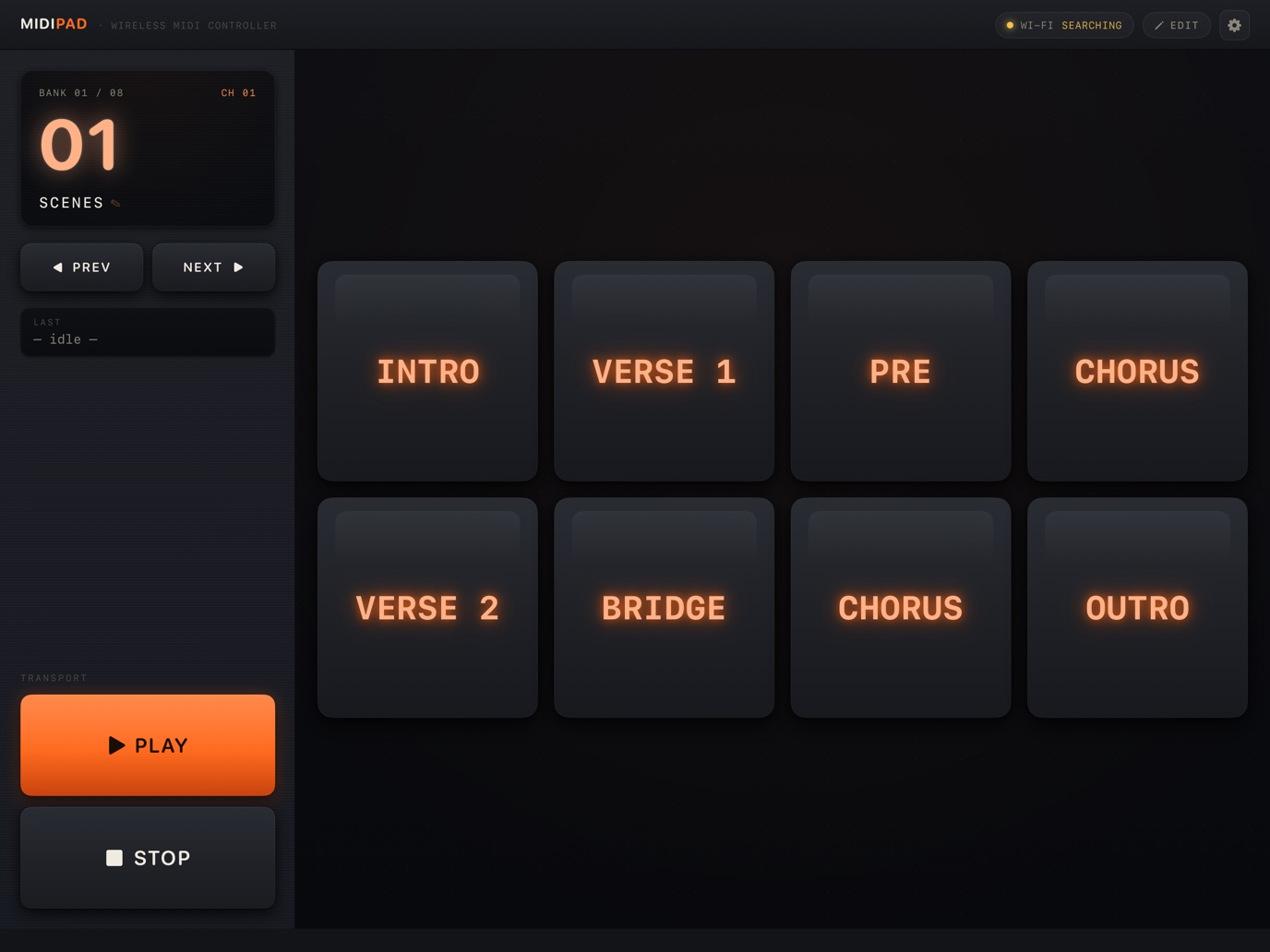
MidiPad turns your iPad into a wireless MIDI pad controller for Ableton Live. Name each pad after a song section or clip, then launch scenes and clips with a single tap on stage. Keep MidiPad Link running on your Mac and it finds your iPad on the same Wi-Fi and connects automatically — no network MIDI setup required.
iPad
macOS
Ableton Live
RTP-MIDI
Key Features
8 / 12 Pad Layouts
Choose an 8-pad (2×4) or 12-pad (3×4) layout to fit your set.
8 Banks · Per-Bank MIDI Channel
Each bank sends on its own MIDI channel, so the same pads can drive multiple sets of mappings — switch with PREV / NEXT.
Custom Pad & Bank Names
In EDIT mode, label pads with song sections or clip names like INTRO and CHORUS so you can find them at a glance during a show.
Automatic Connection
MidiPad Link on your Mac discovers your iPad on the same network, connects automatically, and reconnects after drop-outs. No need to set up a network session in Audio MIDI Setup.
PLAY / STOP Transport
Transport buttons send dedicated notes that never overlap the pads, ready to map to Live's play and stop buttons.
Share Settings via QR
Turn your banks, pad names, and layout into a QR code and scan it with another iPad's camera to copy everything over.
Download
You need both apps: MidiPad and MidiPad Link.
Setup
- Install MidiPad on your iPad from the App Store. Allow Local Network access when asked on first launch.
- Download MidiPad Link on your Mac, unzip it, move it to the Applications folder, and open it. An icon appears in the menu bar.
- Connect your iPad and Mac to the same Wi-Fi network. After a moment the Wi-Fi indicator at the top of MidiPad shows it is connected.
- In Ableton Live, open Settings → Link, Tempo & MIDI and turn on Remote for the MidiPad Link input port.
- Turn on MIDI Map Mode (⌘M), select a clip, scene, or button, then tap a pad on your iPad to map it. Press ⌘M again to leave MIDI Map Mode and start playing.
FAQ & Support
My iPad and Mac won't connect.
Make sure both devices are on the same Wi-Fi network. Guest and public Wi-Fi networks often block device-to-device traffic. On the iPad, check that MidiPad is enabled in Settings → Privacy & Security → Local Network. If it still doesn't connect, quit and reopen MidiPad Link on your Mac.
Can I use it with a DAW other than Ableton Live?
MidiPad Link creates a MIDI input port named MidiPad Link on your Mac, so any app that accepts MIDI input can use it.
Does MidiPad collect any personal data?
No. MidiPad and MidiPad Link do not collect any personal data or send anything to external servers. See the Privacy Policy for details.
For anything else, email support@musickit.app.